
How to customize your Wiki
Introduction
This guide provides a step-by-step process for su including uploading a logo, entering personal information, and adding support emails. It is designed for users who need to set up articles with specific settings and contact information.
Step-by-Step Guide
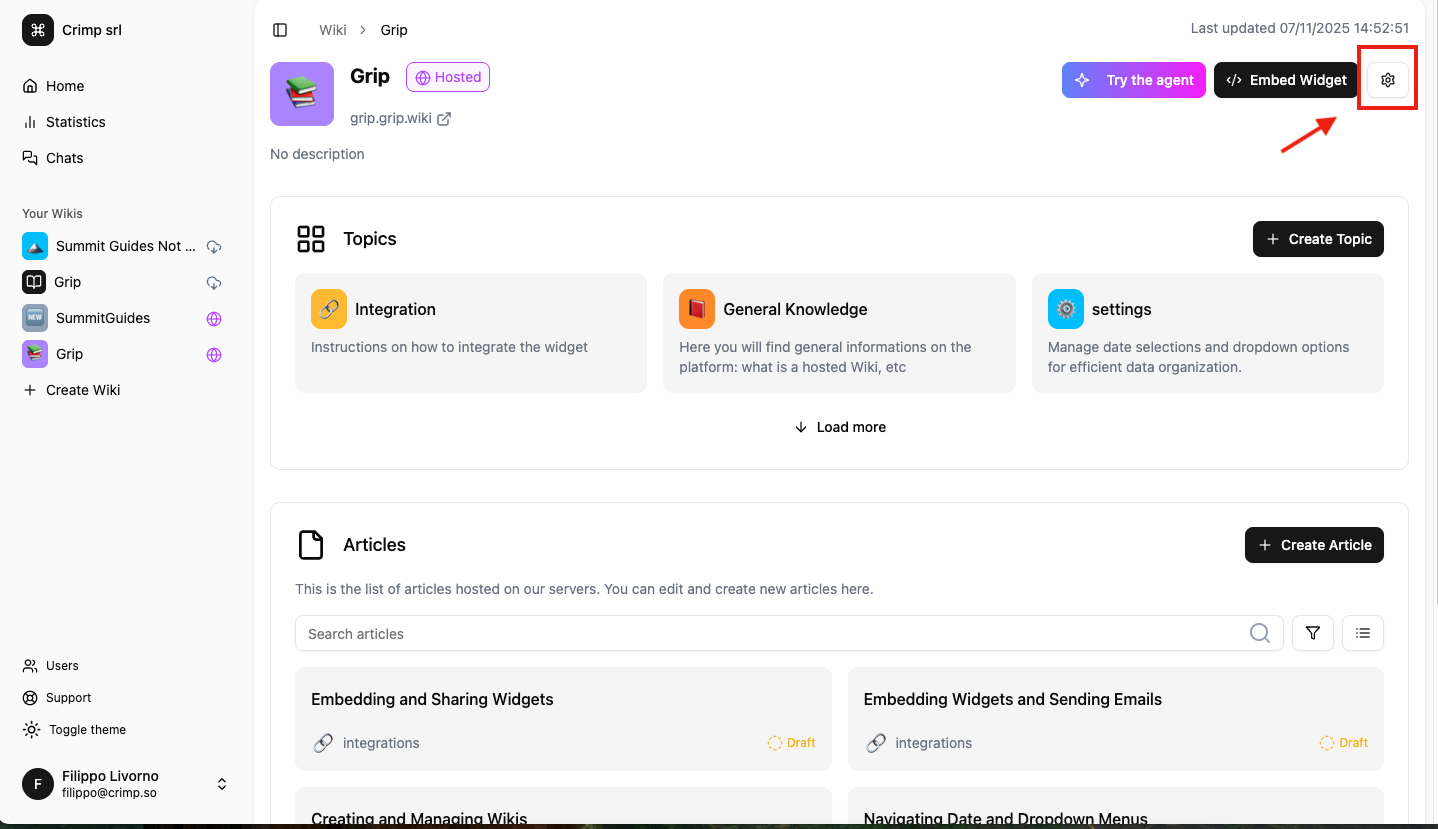
Step 1: Click on the Settings icon (top-right)
Step 2: Customize the Wiki
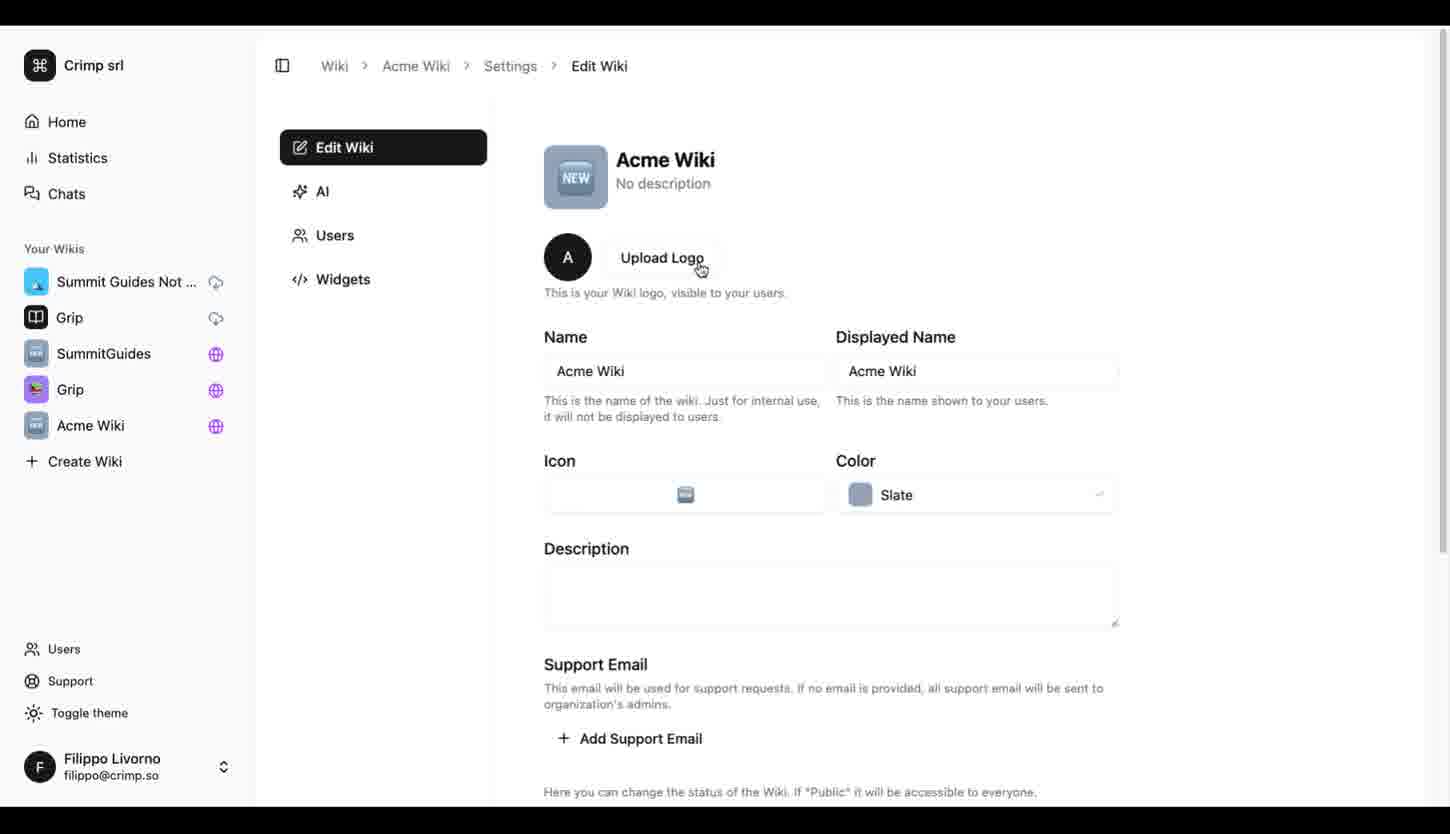
Here you can customize your Wiki.
You can:
- Upload your Logo (it will be visible to your users in the chat interface)
- Give your Wiki an internal name (not visible to your users but just on your left menu) and an "official" name (visible to your users in the chat interface).
- Select an icon (visible to your users on the public page).
- Select a main color (visible to your users on the public page).
- Provide a brief description of the Wiki (visible to your users on the public page).
- Add a support email: users might want to talk to a human instead of the Agent. You will be notified to this email (default are the organization's admins).