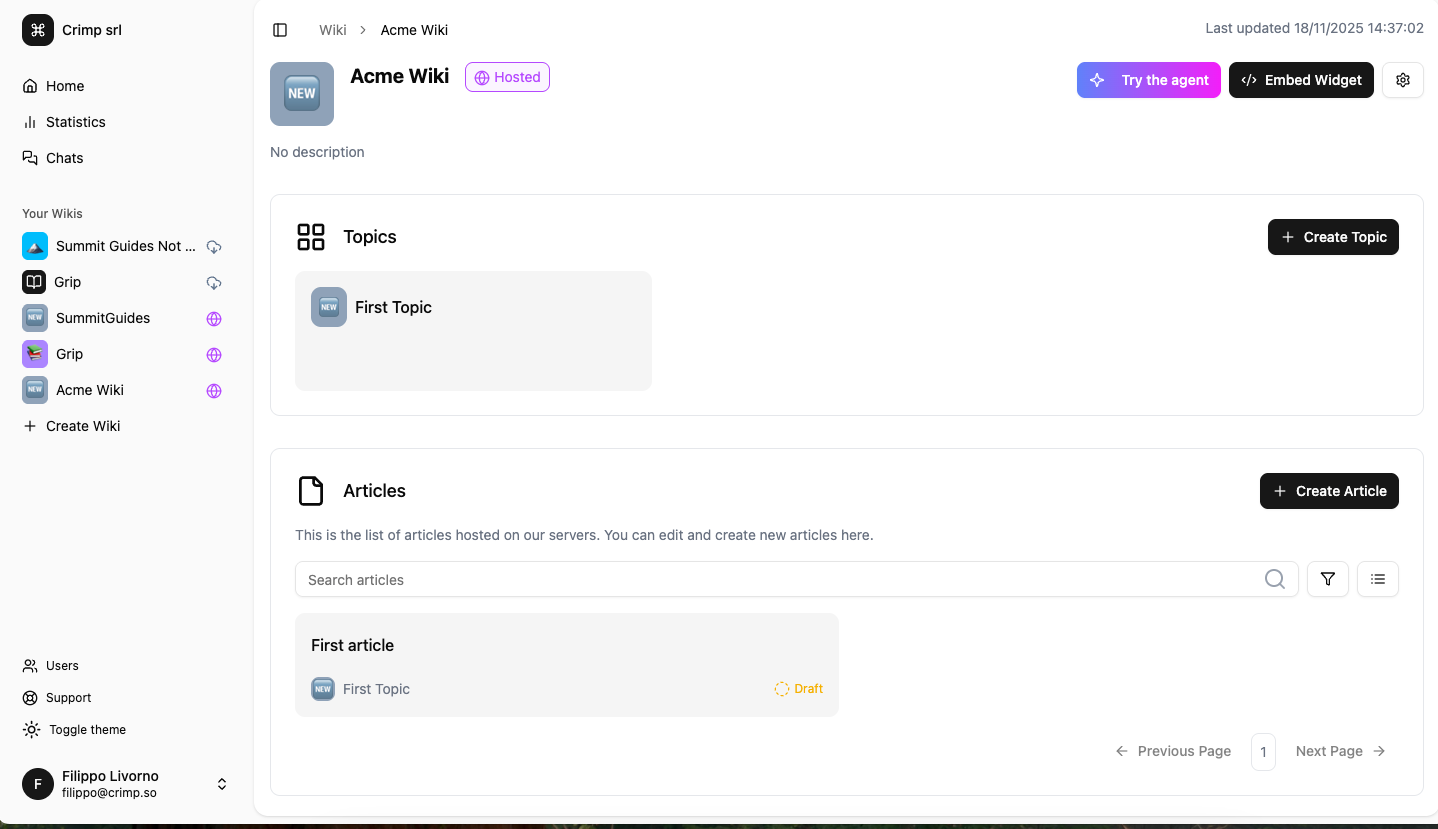
Create a Wiki
Introduction
This guide provides a step-by-step process for creating and managing Wikis using Grip.
Step-by-Step Guide
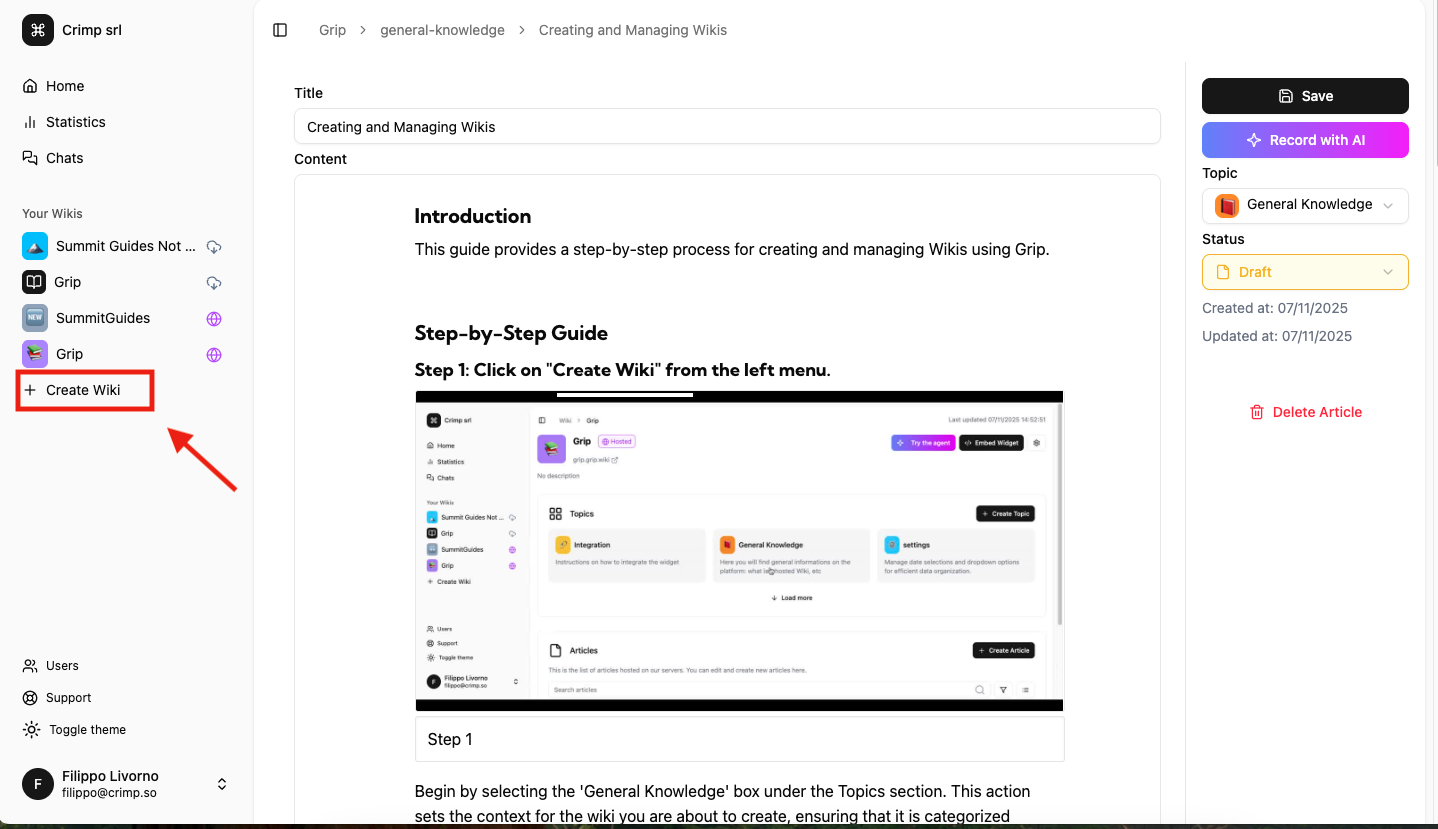
Step 1: Click on "Create Wiki" from the left menu.
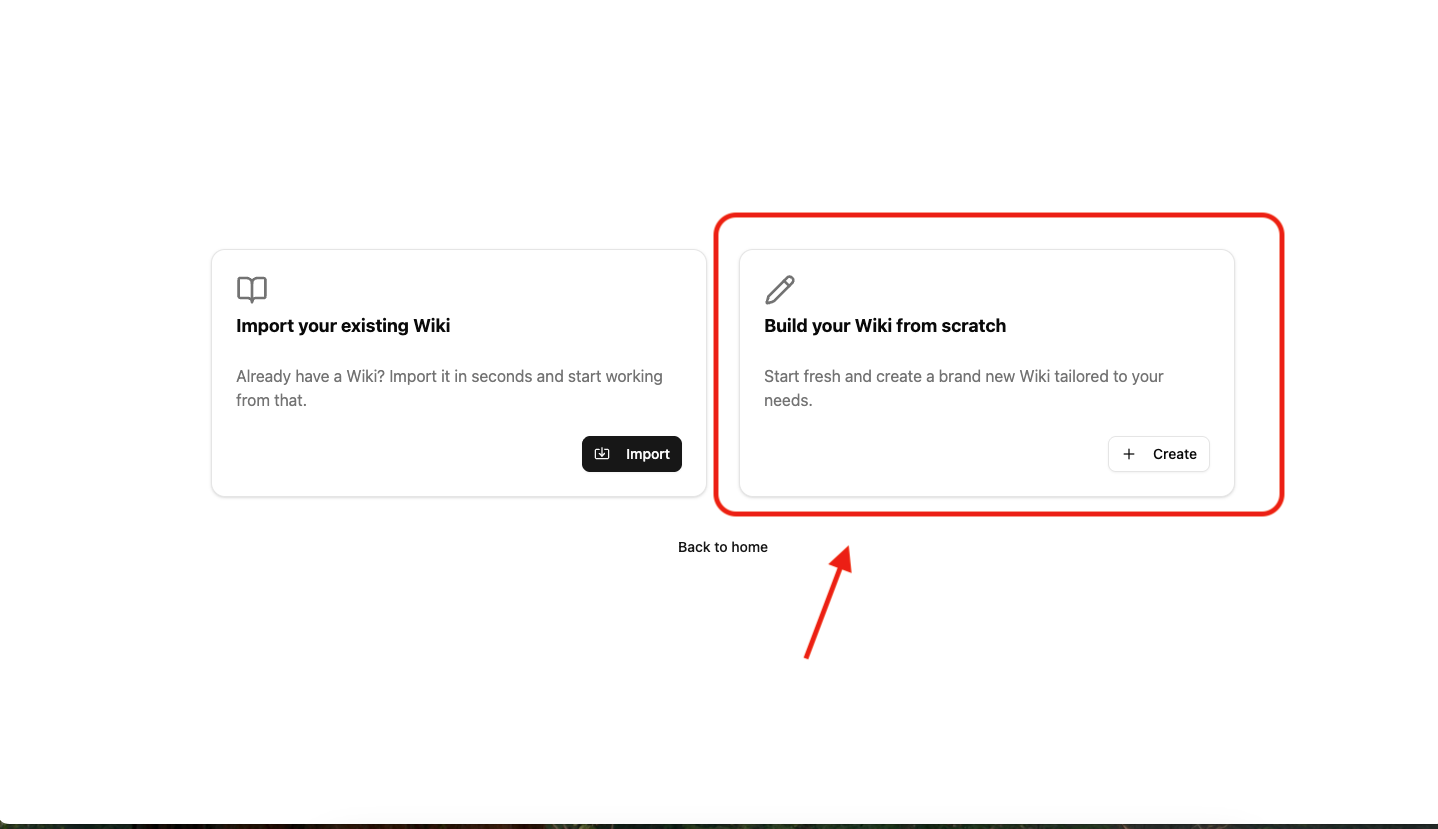
Step 2: Click on "Build your Wiki from scratch"
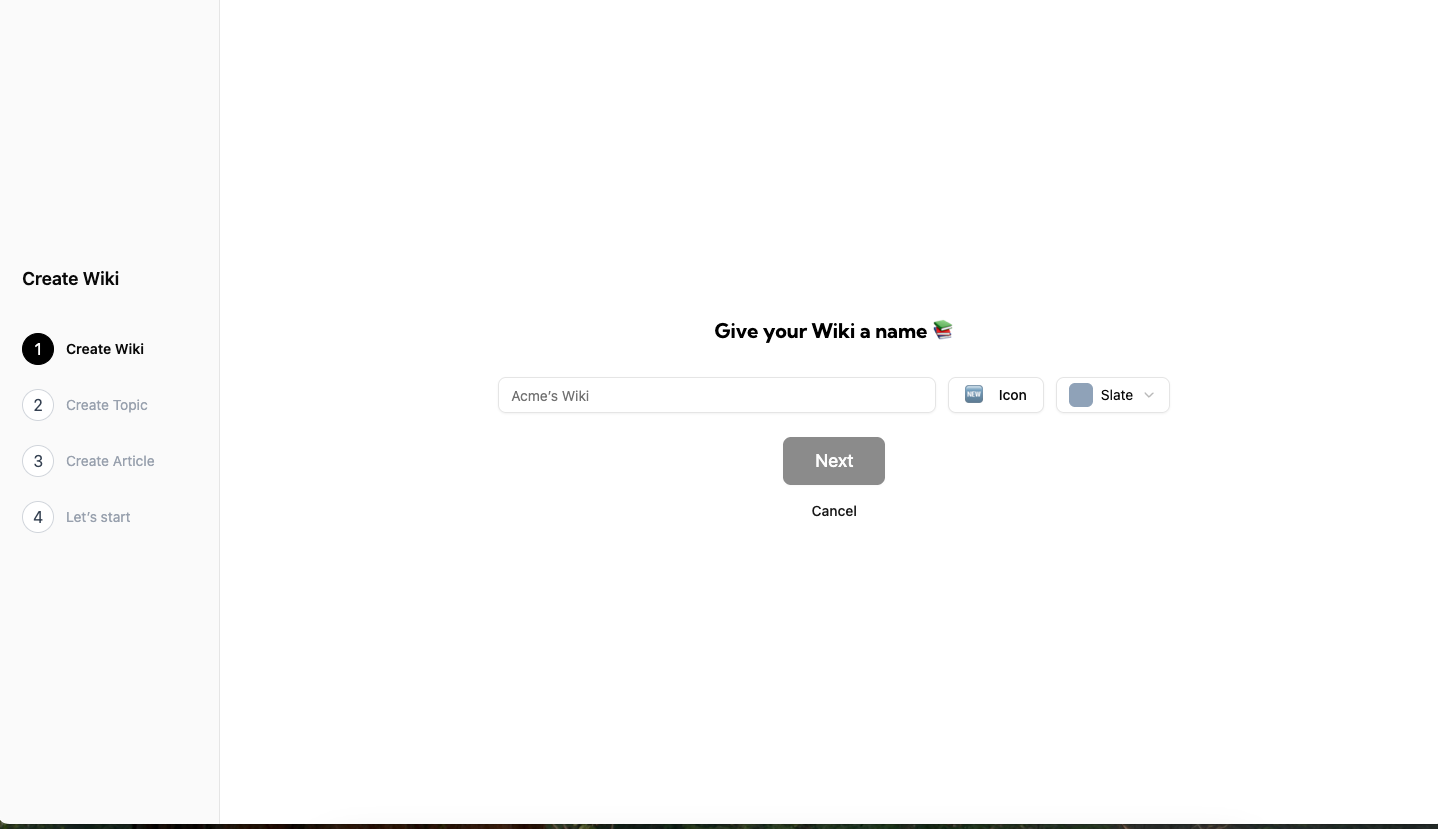
Step 3: Give your Wiki a name. You can also add an icon and a main color. Then click on "Next".
Step 4: Create your first topic
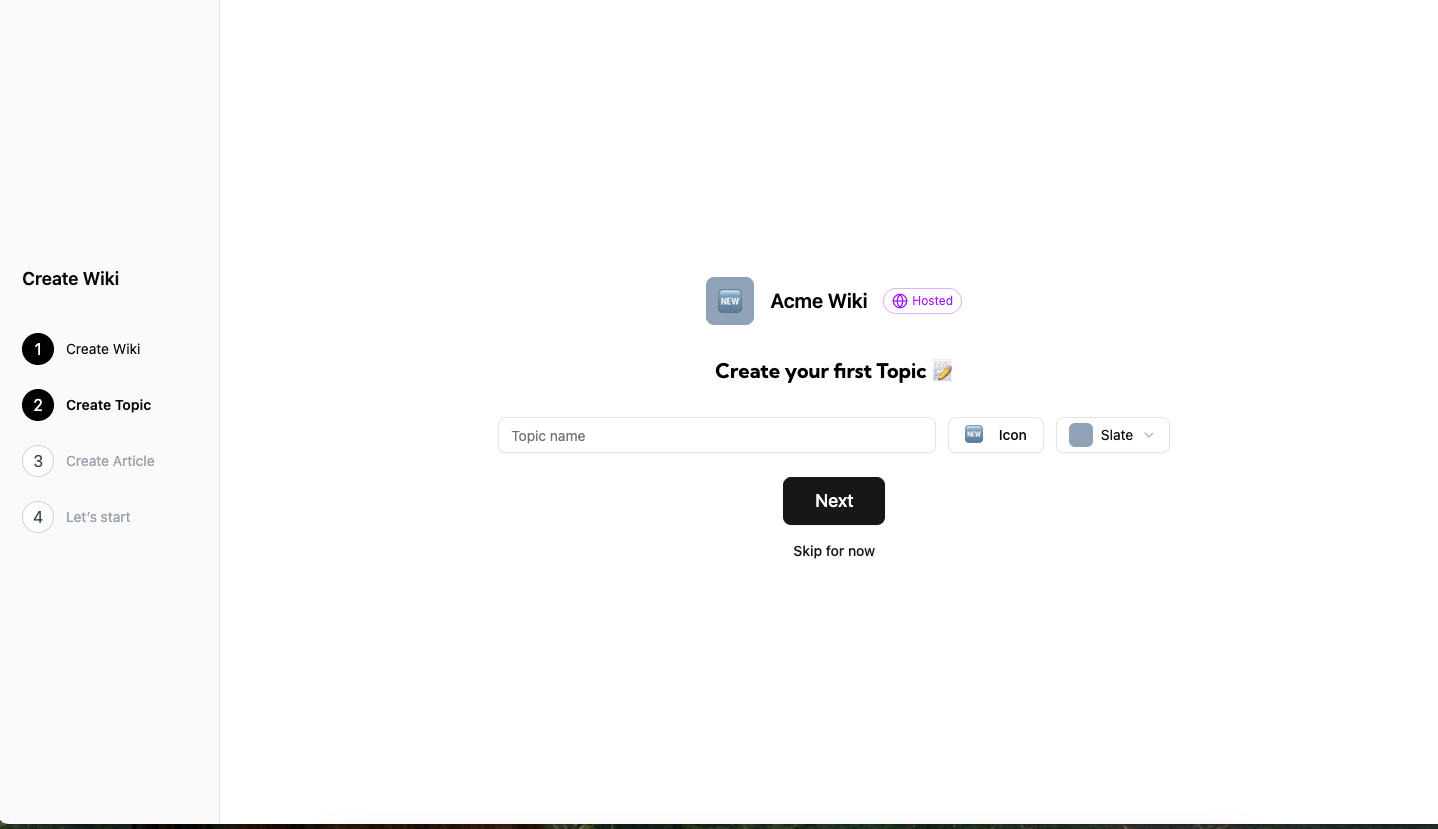
Create your first topic. You can also choose an icon and a main color for the topic. Click on "Next".
You can also skip this section and create the topics later.
Step 5: Create your first article
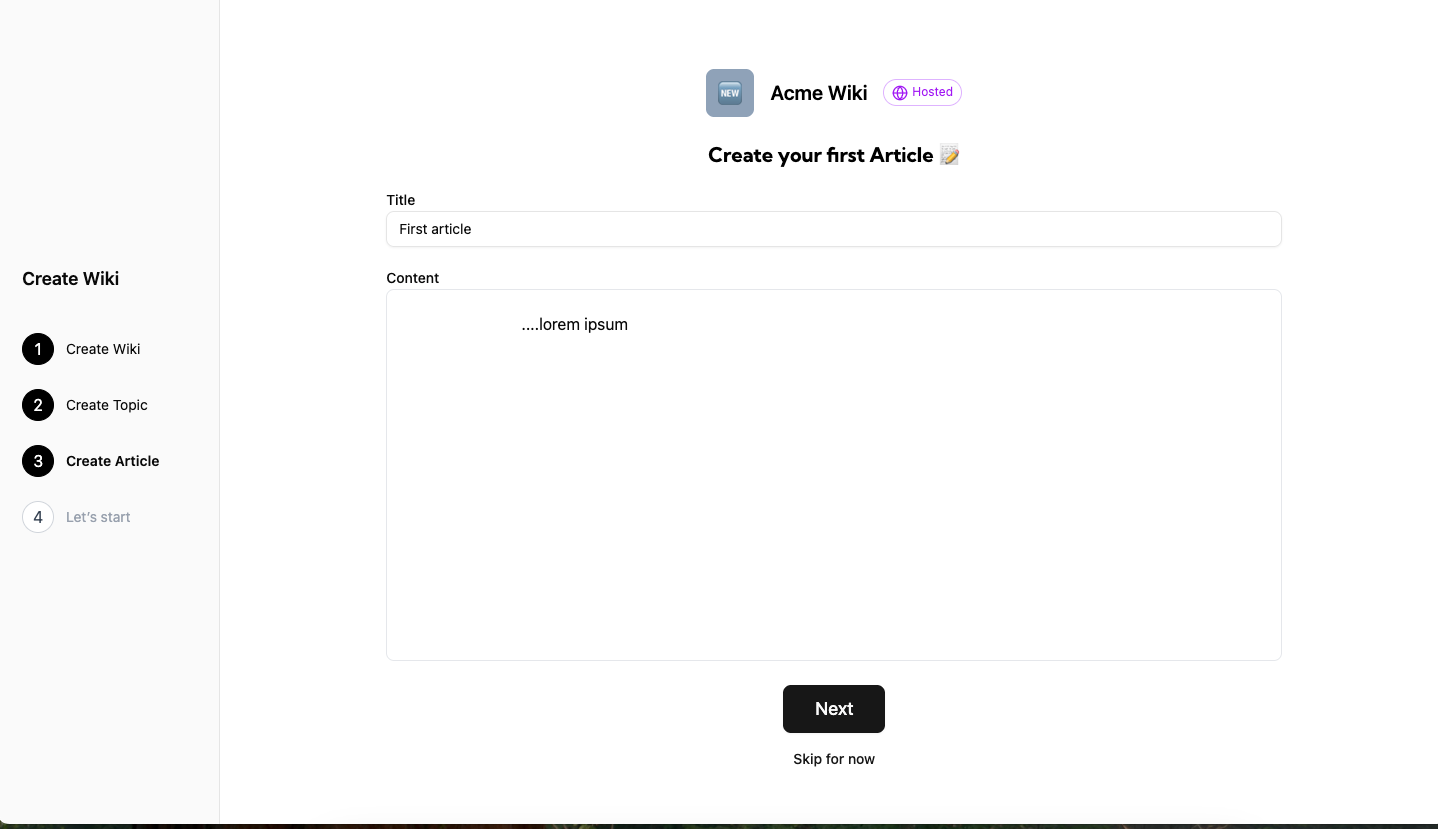
Create your first article for that topic. Click on "Next".
You can also skip this section and create the article later.
Step 6: You're all set!
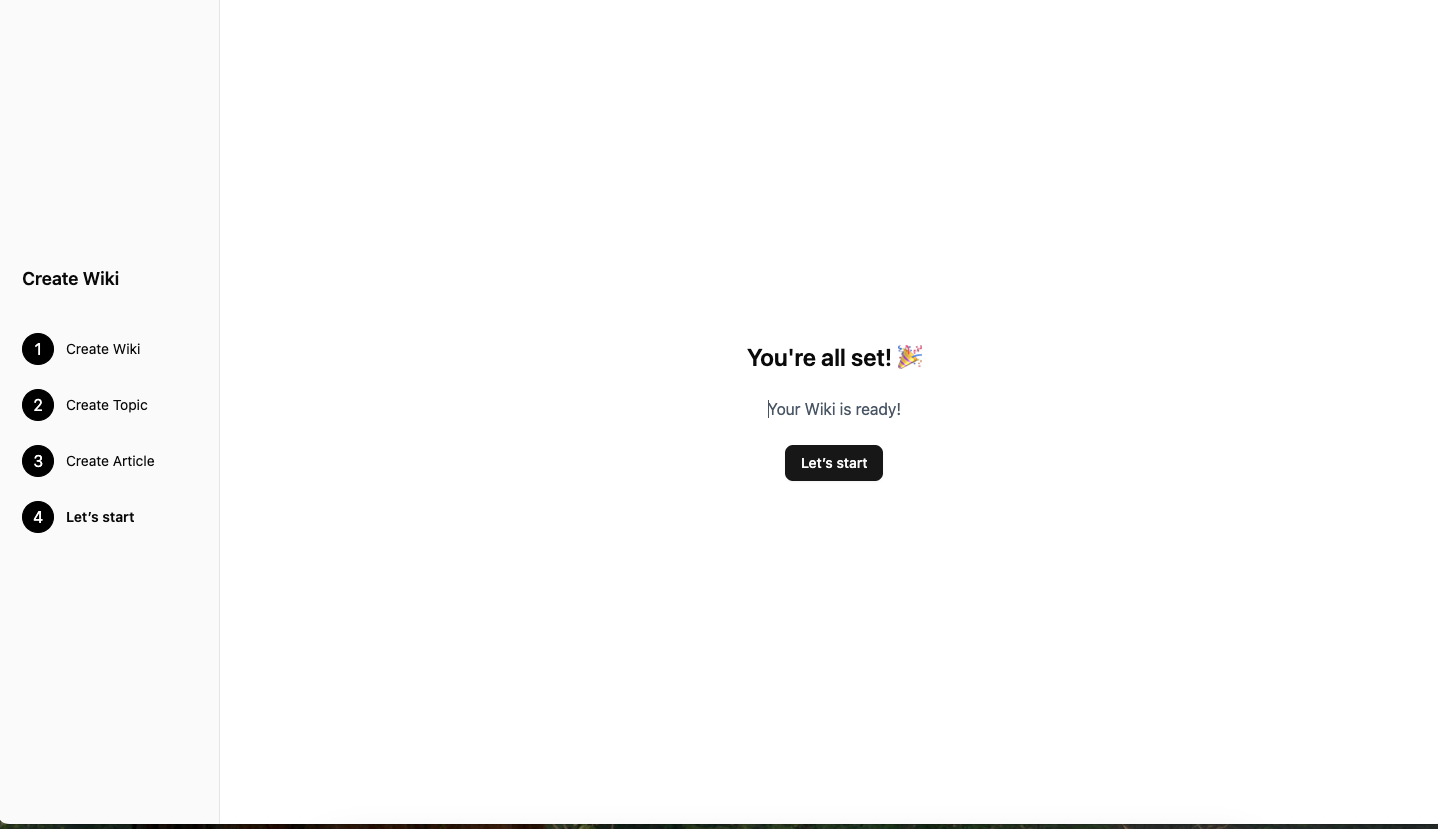
You successfully created your Wiki.
By clicking "Let's start" you will be redirected to the Wiki page.