
How can I make my Wiki public?
Introduction
This guide covers the process of making your Wiki public and give it access to your users.
Step-by-Step Guide
Step 1: Enable Public Option
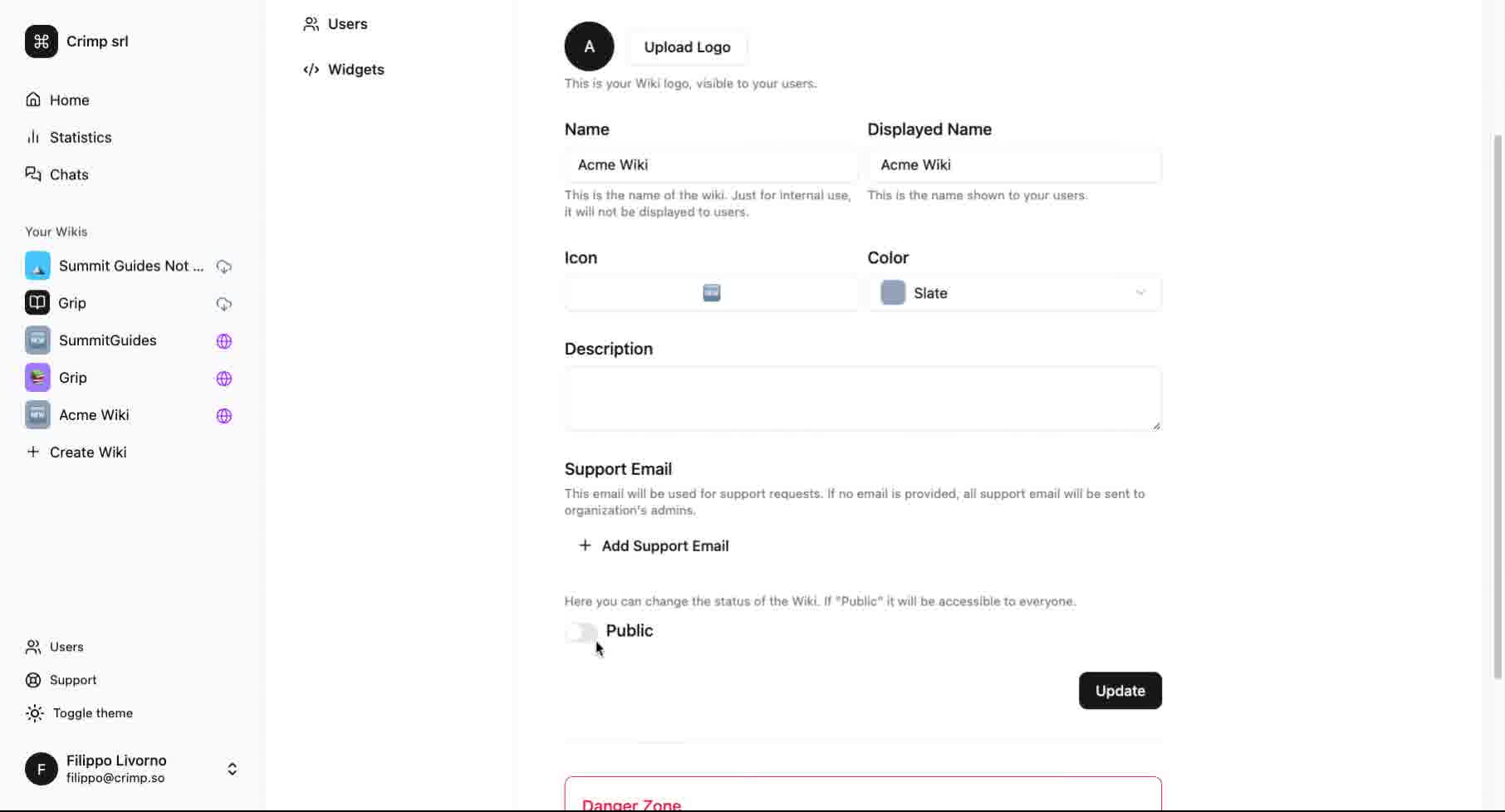
Click the toggle and make the Wiki public.
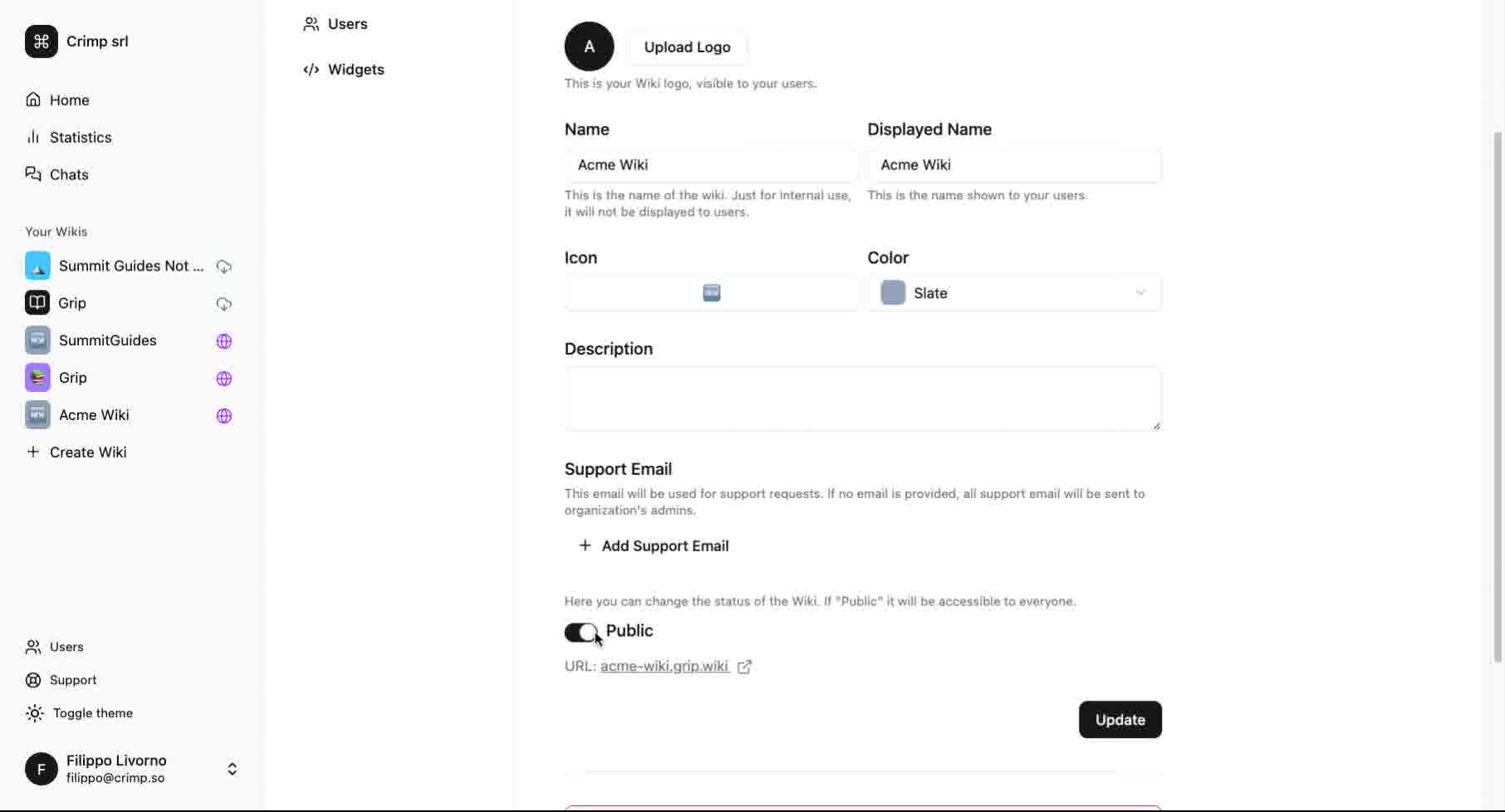
Finally, click the 'Update' button to save all changes made.
This will deploy your Wiki and push it live, so your users (customers, internal users, etc) will be able to access your knowledge base.