
How to test the Agent
Introduction
This guide provides a step-by-step walkthrough on how to test the Agent on your Wiki.
Step-by-Step Guide
Step 1: Inside your Wiki, click on the "Try the Agent" button
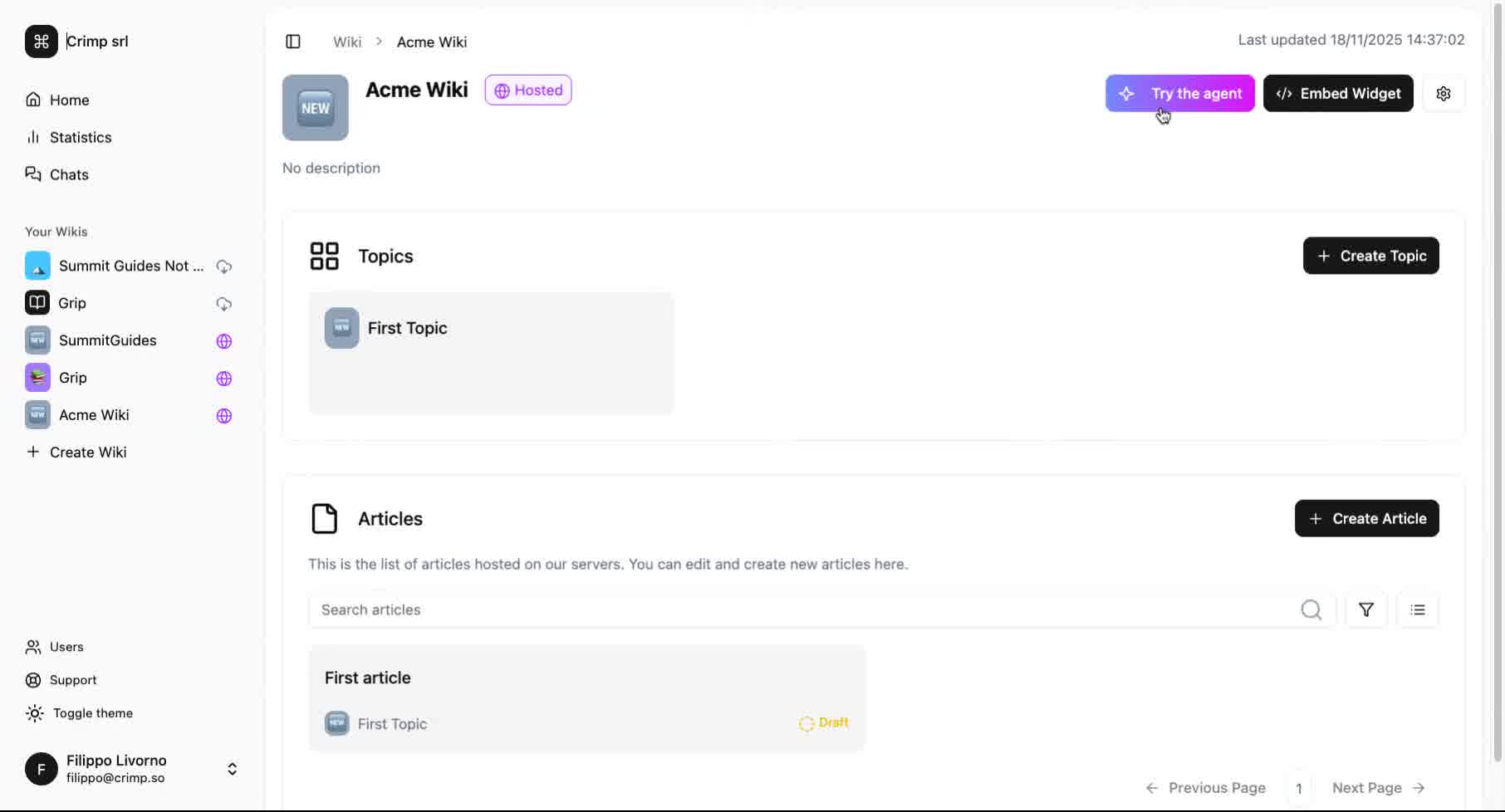
This action will open the chat interface where you can interact with the agent.
Step 2: Submit Your Query
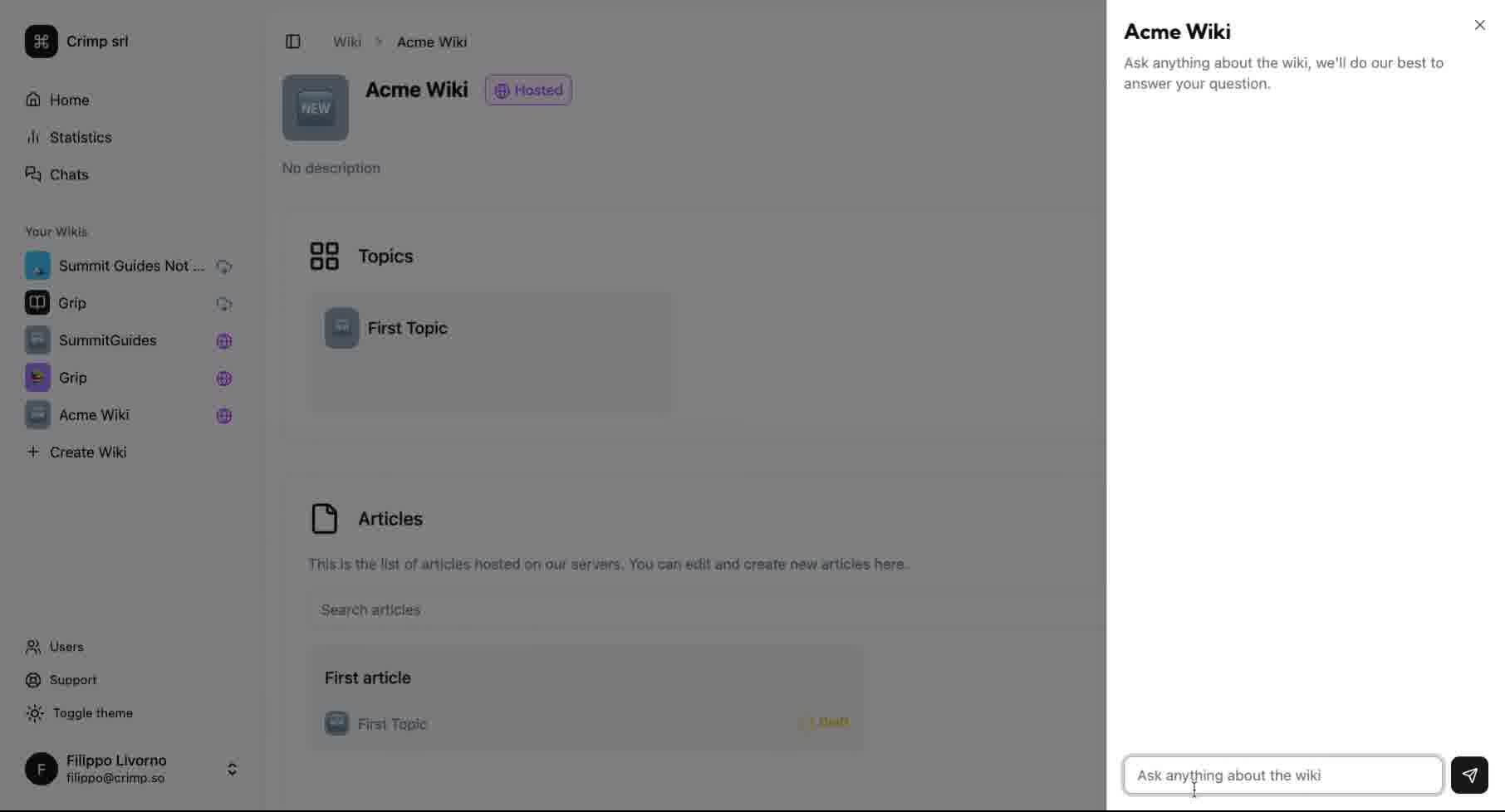
Enter your question in the chat field provided. This step allows you to communicate directly with the Agent, enabling it to process your request and provide the necessary assistance or information.
In this way, you can check the accuracy of the Agent, before deploying it to your user base.